Eclipse에서 MySql DB에 데이터 넣기
Servlet생성은 생략 한다.
MySql 연결하기
데이터를 삽입하는 코드이다.
1
2
3
4
5
6
7
8
9
10
11
12
13
14
15
16
17
18
19
20
21
22
23
24
| private Connection con;
private PreparedStatement pstmt;
String driver = "com.mysql.jdbc.Driver";
String url = "jdbc:mysql://localhost:3307/dbschema이름?&serverTimezone=UTC";
String userid = "사용자 ID";
String passwd = "비밀번호";
@Override
public void init(ServletConfig config) throws ServletException {
try {
System.out.println("연결 시작");
Class.forName(driver);
con = DriverManager.getConnection(url, userid, passwd);
String sql = "INSERT INTO emp VALUES(?,?,?,?);";
pstmt = con.prepareStatement(sql);
System.out.println("pstmt선언");
} catch (Exception e) {
e.printStackTrace();
}
}
|
보통 localhost:3306이지만 초기에 설치할 때 문제가 생겨 3307로 하였다.
Class.forName으로 드라이버가 어떤 것인지 넣어준다.
getConnection으로 개발자의 데이터베이스 위치, id, pw를 넣고 연결을 시도한다.
String sql –> 이 프로젝트에서 필요한것은 데이터를 넣는 명령이기 때문에 INSERT를 사용하였다.
1
2
3
4
5
6
7
8
9
10
11
12
13
14
15
16
17
18
19
20
21
22
23
24
25
26
27
28
29
30
31
32
33
34
35
| protected void doPost(HttpServletRequest request, HttpServletResponse response)
throws ServletException, IOException {
request.setCharacterEncoding("utf-8");
String id = "id";
id = request.getParameter("id");
String name = request.getParameter("name");
int salary = Integer.valueOf(request.getParameter("salary"));
String depart = request.getParameter("depart");
try {
System.out.println("데이터 입력 시작");
pstmt.setString(1, id);
pstmt.setString(2, name);
pstmt.setInt(3, salary);
pstmt.setString(4, depart);
pstmt.executeUpdate();
pstmt.close();
con.close();
response.setContentType("text/html;charset=EUC-KR");
PrintWriter out = response.getWriter();
out.println("<html><body>");
out.println("successfully inserted");
out.println("</body></html>");
} catch (Exception e) {
e.printStackTrace();
System.out.println("ERROR : " + e);
}
}
|
pstmt.setString은 DB의 각 column에 넣을 데이터를 가지고 있는다.
pstmt.executeUpdate();이 최종적으로 sql명령을 실행하여 DB에 정보를 넣는다.
login.html
1
2
3
4
5
6
7
8
9
10
11
12
13
14
15
16
17
18
19
20
21
22
23
| <!DOCTYPE html>
<html>
<head>
<meta charset="UTF-8" />
<title>Insert title here</title>
</head>
<body>
<section>
<h1>데이터 저장 실습</h1>
<form method="post" action="./saveinfo" name="employee">
<p>
<strong>사원 아이디 : </strong>
<input type="text" name="id" value="id" />
</p>
<p><strong>사원명 : </strong> <input type="text" name="name" /></p>
<p><strong>급여 : </strong> <input type="text" name="salary" /></p>
<p><strong>부서명 : </strong> <input type="text" name="depart" /></p>
<input type="submit" value="저 장" />
</form>
</section>
</body>
</html>
|
action=”./saveinfo”은 호출할 servlet url을 mapping하여 원하는 동작을 연결해 준다. (web.xml에서도 mapping 할 수 있다.)
저장 버튼을 누르면 데이터가 저장되어 실제 MySql에서 저장된 데이터를 볼 수 있다.
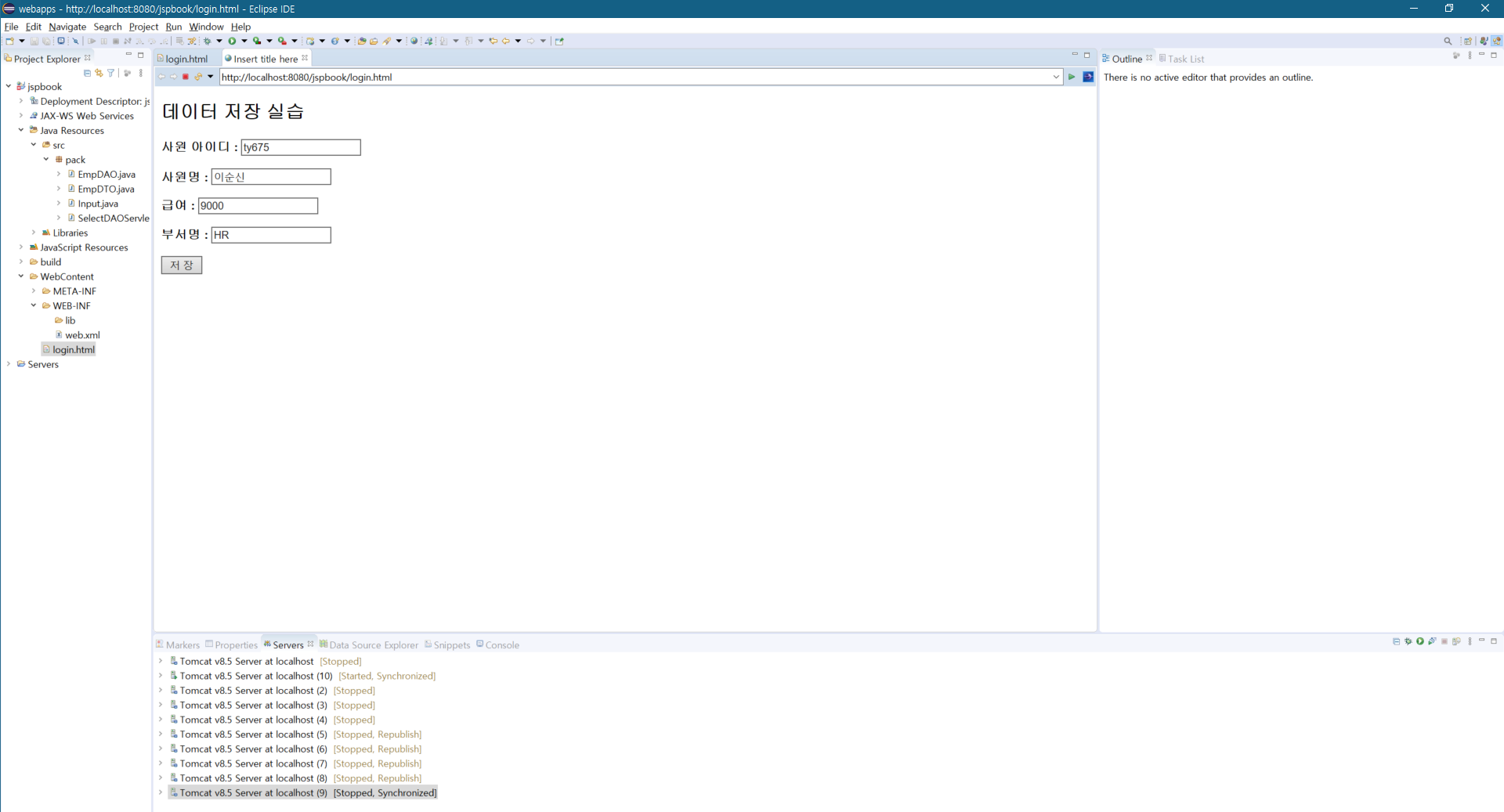
login.html을 실행시켜 데이터를 삽입하기 위한 화면이다.
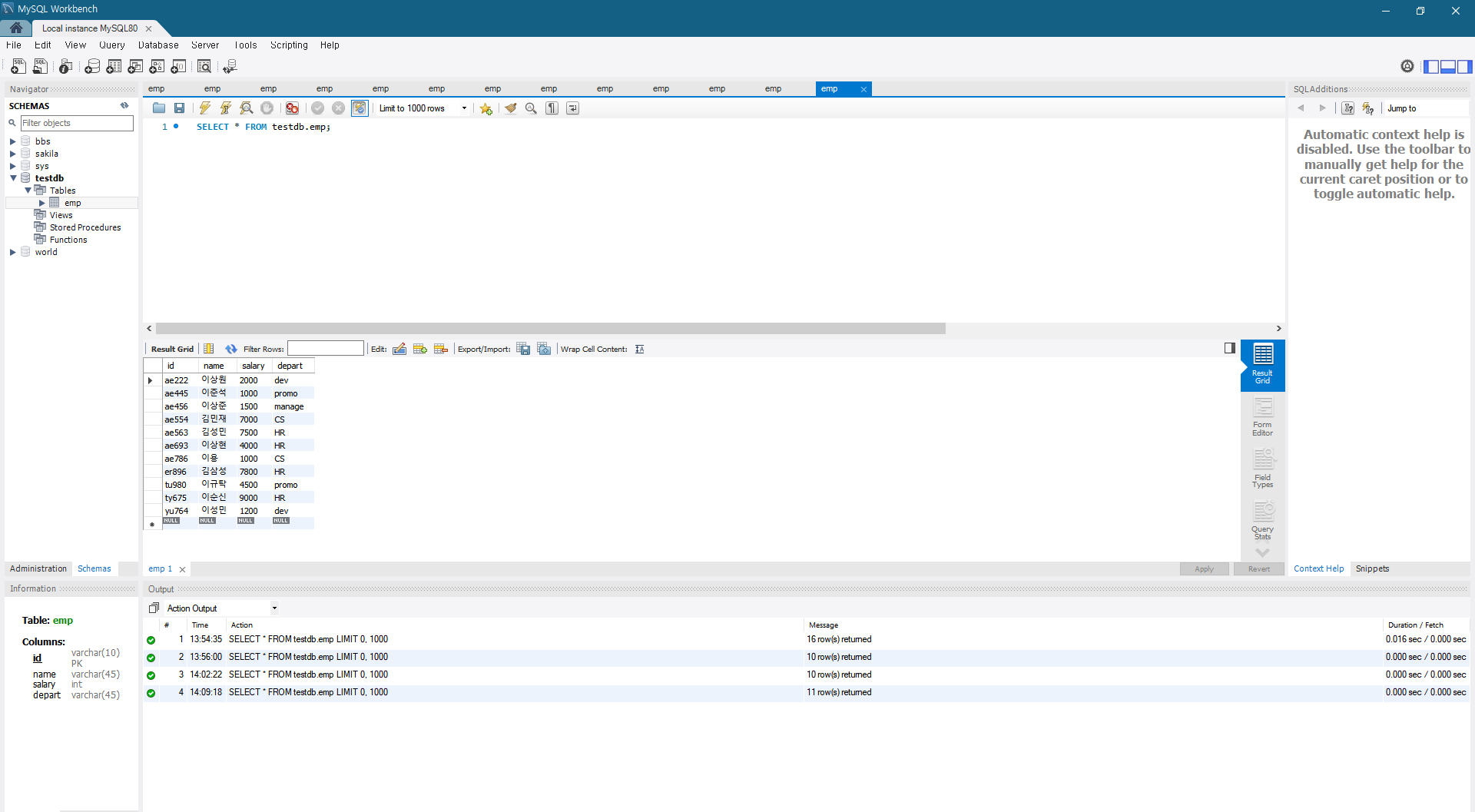
데이터가 추가된 후 mysql workbrench의 화면이다.
이순신 사원의 데이터가 추가된 것을 볼 수 있다.